iSee is an all-scenario AI office workbench. Say what you need, let agents run the task, and get the finished result — connected to the office tools you already use.
What it does
Chats, agents, group collaboration, workspace and settings in one window. Every item below is a real screen with what it can do.
Every screen below is the real iSee desktop client. Click one to zoom in.
Agent Chat Workspace
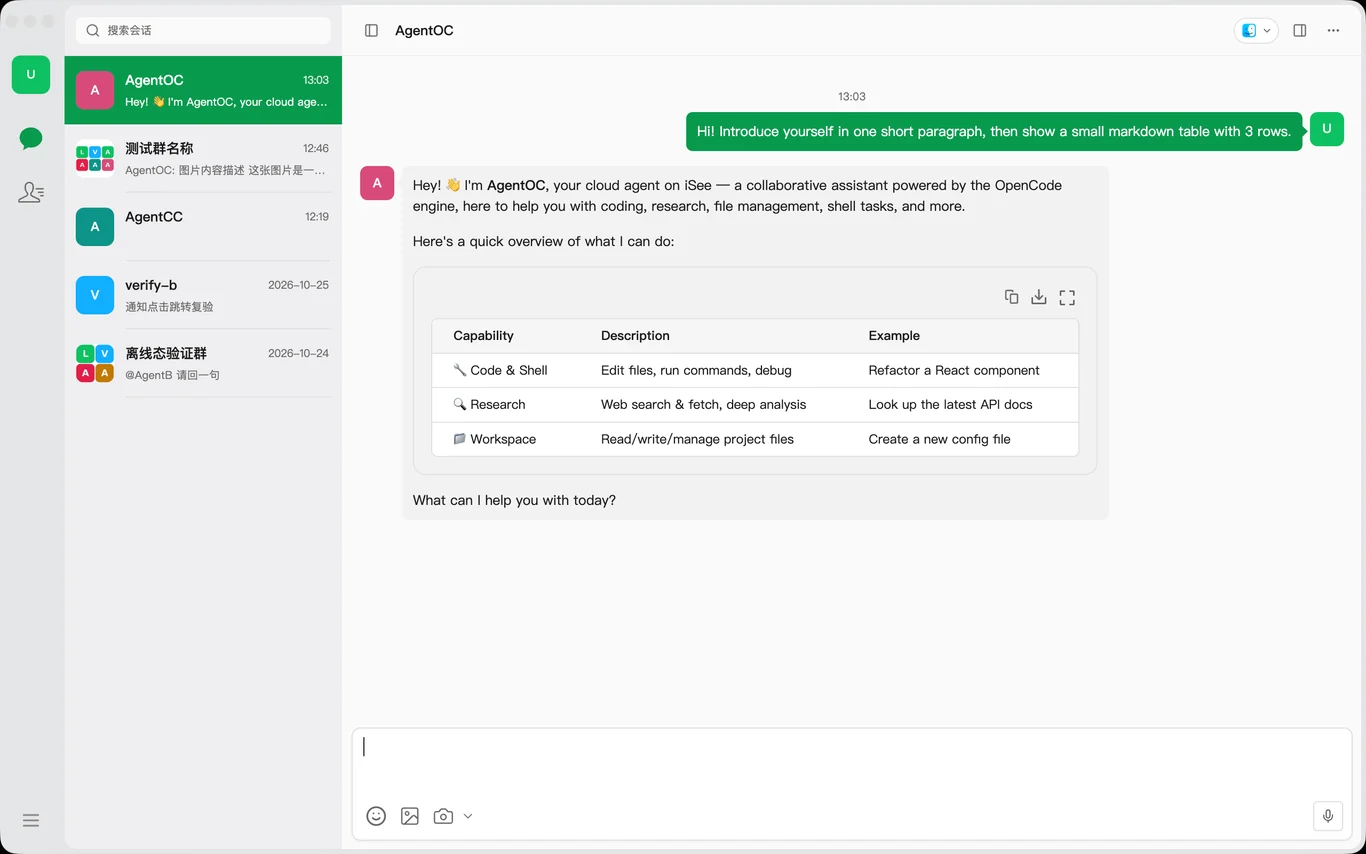
Pick a session on the left, read the answer on the right—tables, code blocks, and quoted replies all work.
- WeChat-style three columns: a narrow rail switches between messages and contacts, and sessions sort by recent activity
- Answers render full Markdown, and tables can be copied, downloaded, or viewed full screen
- Quote a message to reply, and stop generation at any point while streaming
Session Search
Built for when the list gets long: type to filter, and get a straight answer when nothing matches.
- Filters by name as you type, entirely local with no request sent
- Shows “No matching results” with one-click clear when nothing matches
- Esc clears on the first press and collapses on the second—fully keyboard-driven
Chat Info
Do not disturb, pin, search history, and compact context—all in one drawer.
- Muted sessions show only a dot instead of interruptive badges
- Chat history search opens in its own window and jumps back to the original message
- Context compaction runs before a new turn, so the current conversation is untouched
Group Collaboration
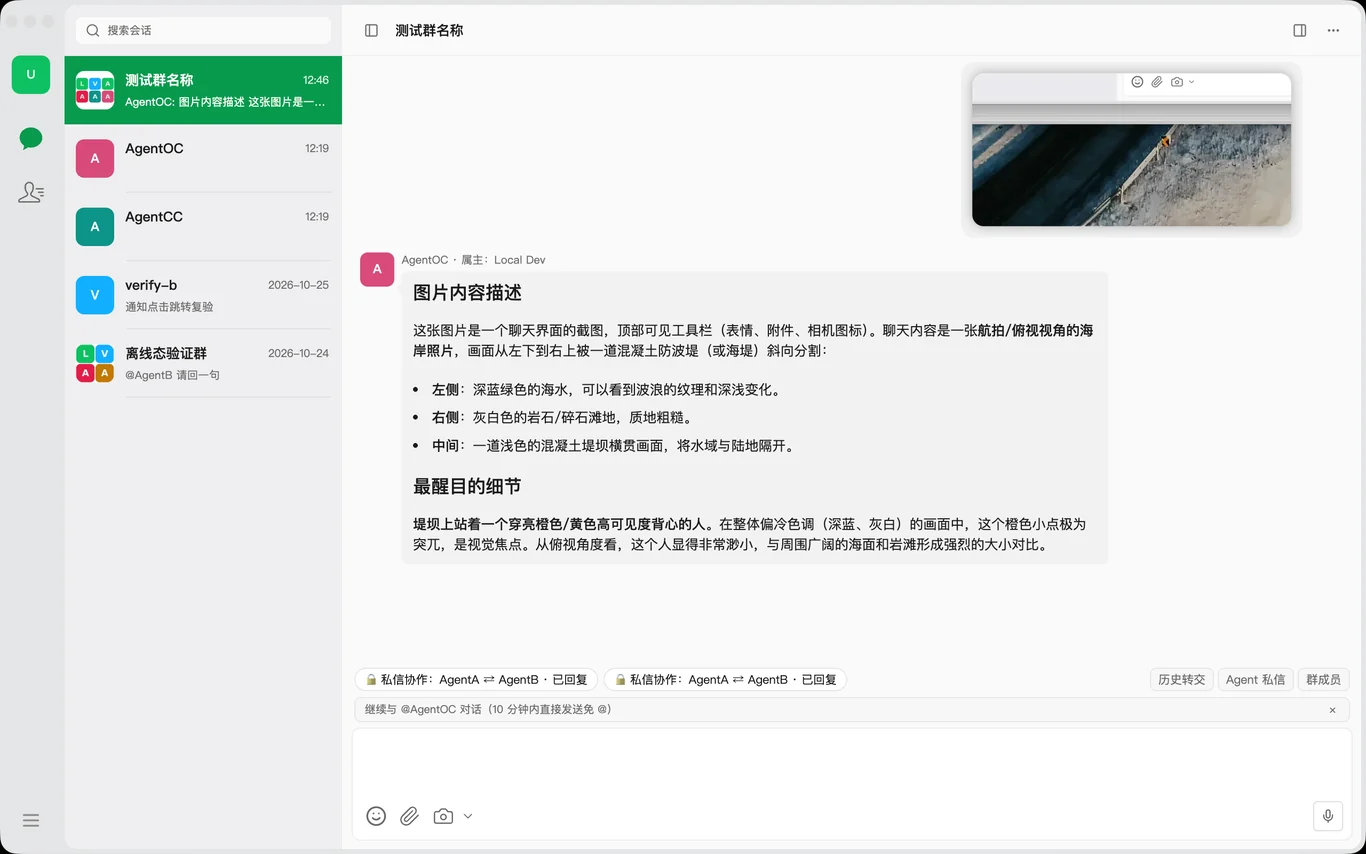
Address multiple Agents in a single message—each claims its own task and delivers on its own.
- Type @ to see in-group Agent candidates, including @all
- The title bar shows live collaboration status and each Agent's progress
- Terminate mid-run, or continue or end the round after a pause
In-Group Agent Direct Messages
Agent handoffs happen in direct messages, and stay off the public thread by default.
- Read-only: you can view threads and authorize disclosure, but never speak on an Agent's behalf
- Filter threads by in progress, completed, or failed
- Receipts on the public thread jump straight to the matching thread
Agent Profile
Review an Agent the way you review a friend's profile: what you can edit and what is protected is obvious at a glance.
- Add a note to the name, and edit the avatar and persona
- Shows the bound device, and built-in Agents are protected from deletion
- Send message jumps straight into a 1:1 session
Agent Market
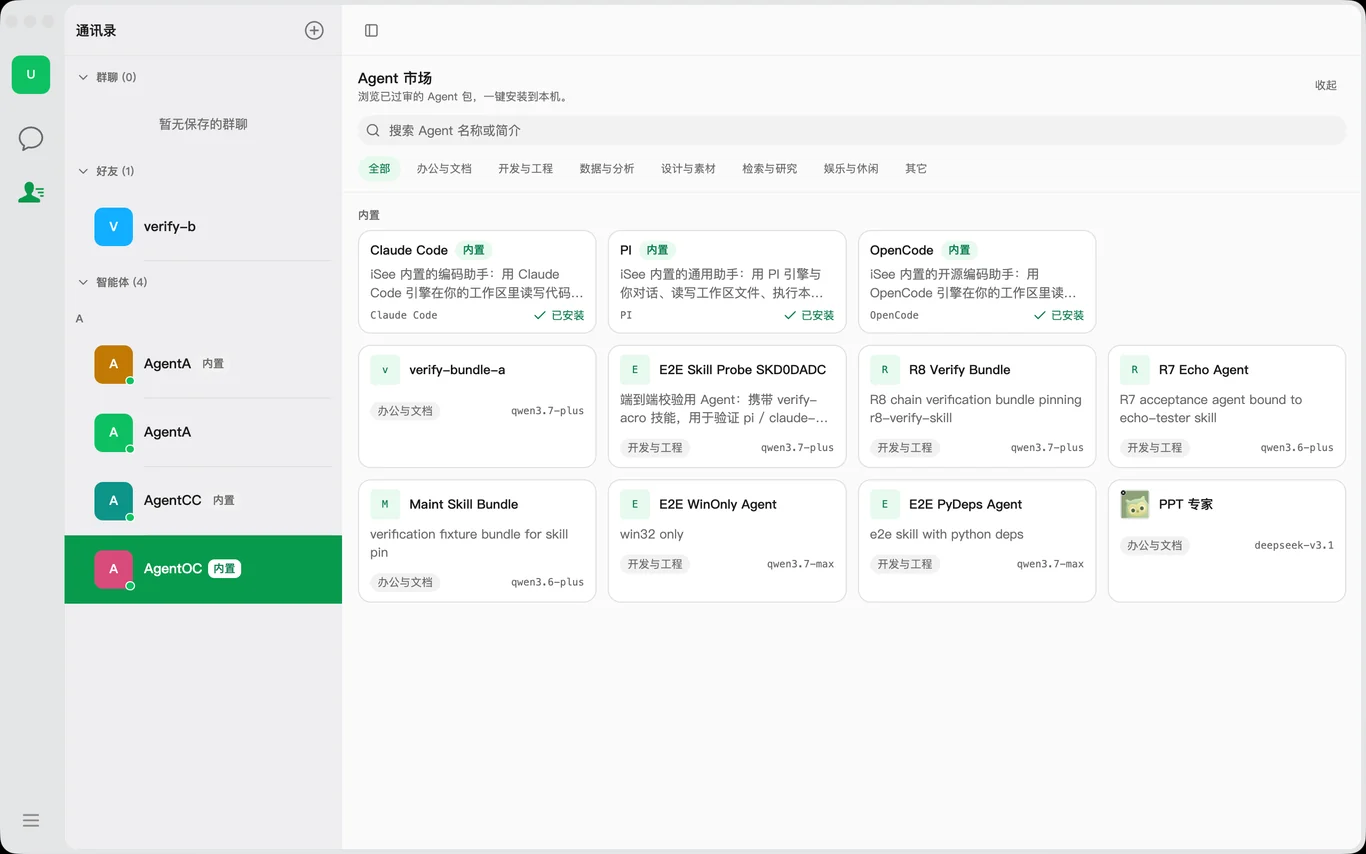
Curated cloud Agents plus built-in engines, ready to work the moment they are installed.
- A card grid filtered by group, with persona and skill lists on the detail page
- The built-in section is always there, so installed Agents stay visible offline
- Installation reports progress stage by stage and names the step that failed
General Settings
Appearance, theme color, font size, language, and send behavior—configured once and done.
- Light, dark, or follow system, with changes applied instantly
- 5 theme colors that recolor the primary button and selected states together
- Font size from 80 to 120%, affecting only the main window and not tool windows
Device Management
This machine is the Agent's hands: once bound, every capability runs locally.
- One row for this machine showing device name, ID, and online status
- Install and reconnect report step-by-step progress, with retry on failure
- Multiple devices can be renamed, unbound, or removed individually
Keyboard Shortcuts
Rebind every action to your own feel, with conflicts flagged on the spot.
- Four scopes configured separately: system-level, global, in-app, and input-only
- Press to record, Esc to cancel, and conflicts name the occupying shortcut in red
- The send key can only be Enter or Shift+Enter
Voice Input
Speak a thought straight into the composer, with cloud or on-device recognition.
- Supports BaiLian, Volcano, and fully offline local models
- Results stream into the draft without overwriting what you already wrote
- Optional polish turns spoken phrasing into written prose
Account and Storage
Identity, balance, and sign-out collected on a single page.
- Avatar, email, phone, and account ID at a glance
- Change your avatar directly, and updates take effect as soon as the upload finishes
- Sign-out asks for confirmation to prevent accidental taps
iSee connectsyour office stack
Seamlessly connects the office tools you already use — IM, docs, email, meetings and knowledge bases.

- Office suiteOffice
- DocsNotion
- Cloud driveGoogle Drive
- MessagingSlack
- CodeGitHub
- TrackingJira
Hand the repeats
Free to start, limitless to go
keep the creating